Map your browsing as a graph.
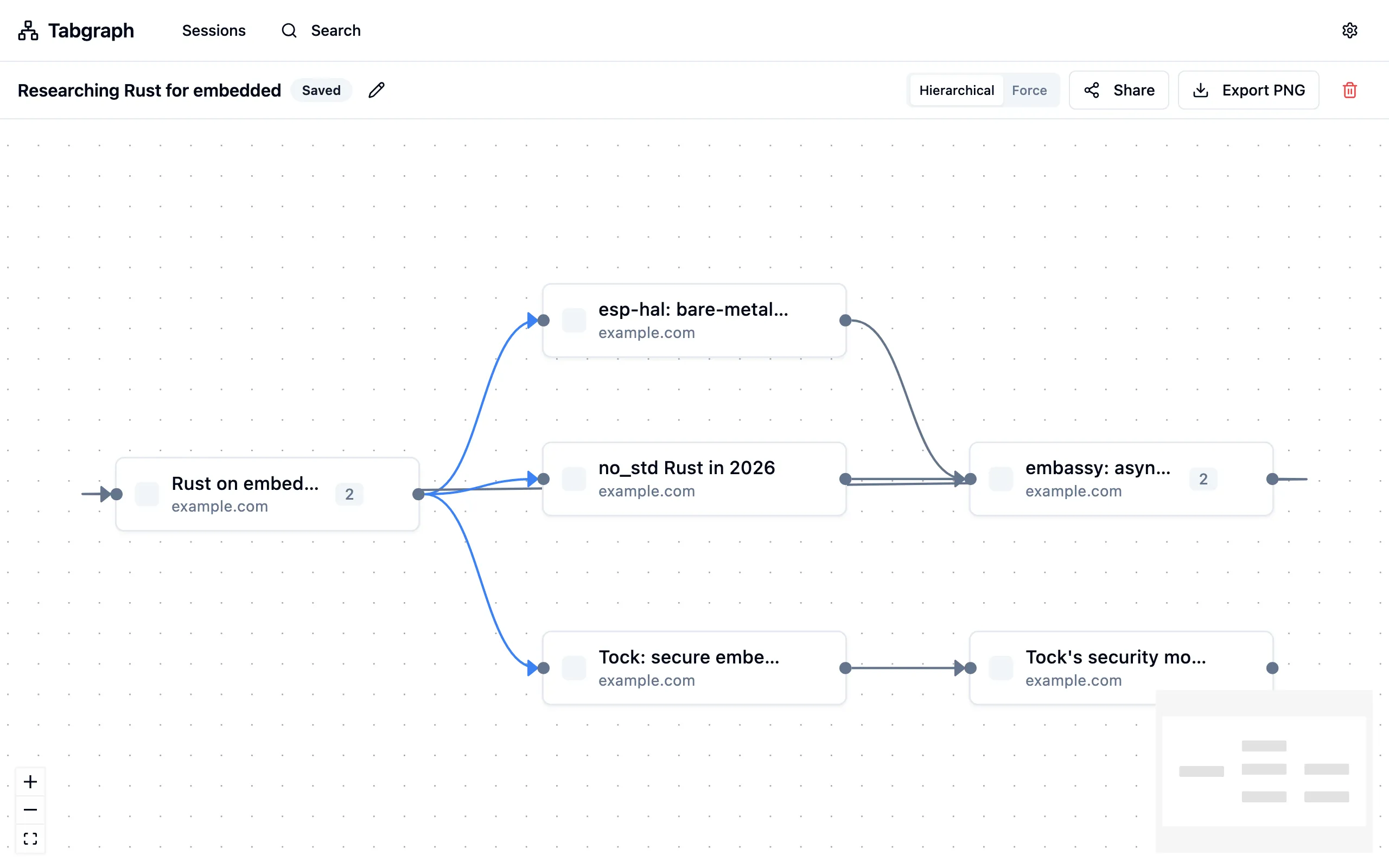
Tabgraph captures the parent-child relationships between your tabs — every "open in new tab", every in-tab navigation, every back-and-forth — and renders them as an interactive directed graph you can save, search, and share.
Free while we build out hosted billing. No credit card.
Features
Your browsing already has structure. Tabgraph just shows it to you.
Zero-effort capture
Once signed in, the extension auto-starts a session on the first navigation. No "begin tracking" gesture, no per-page consent prompts. Pause from the options page at any time.
A full directed graph — not a tree
Cycles, multi-parent, multi-child are all first-class. Nodes are deduplicated by canonical URL within a session; visit counts track repeat hits.
URL canonicalization
Strips utm_*, fbclid, gclid, ref, and mc_eid before storing, so tracking-parameter variants of the same page collapse into one node.
Local-first
Events buffer on-device and sync to the backend only when signed in and enabled — toggleable per-session and globally.
Save, search, share, export
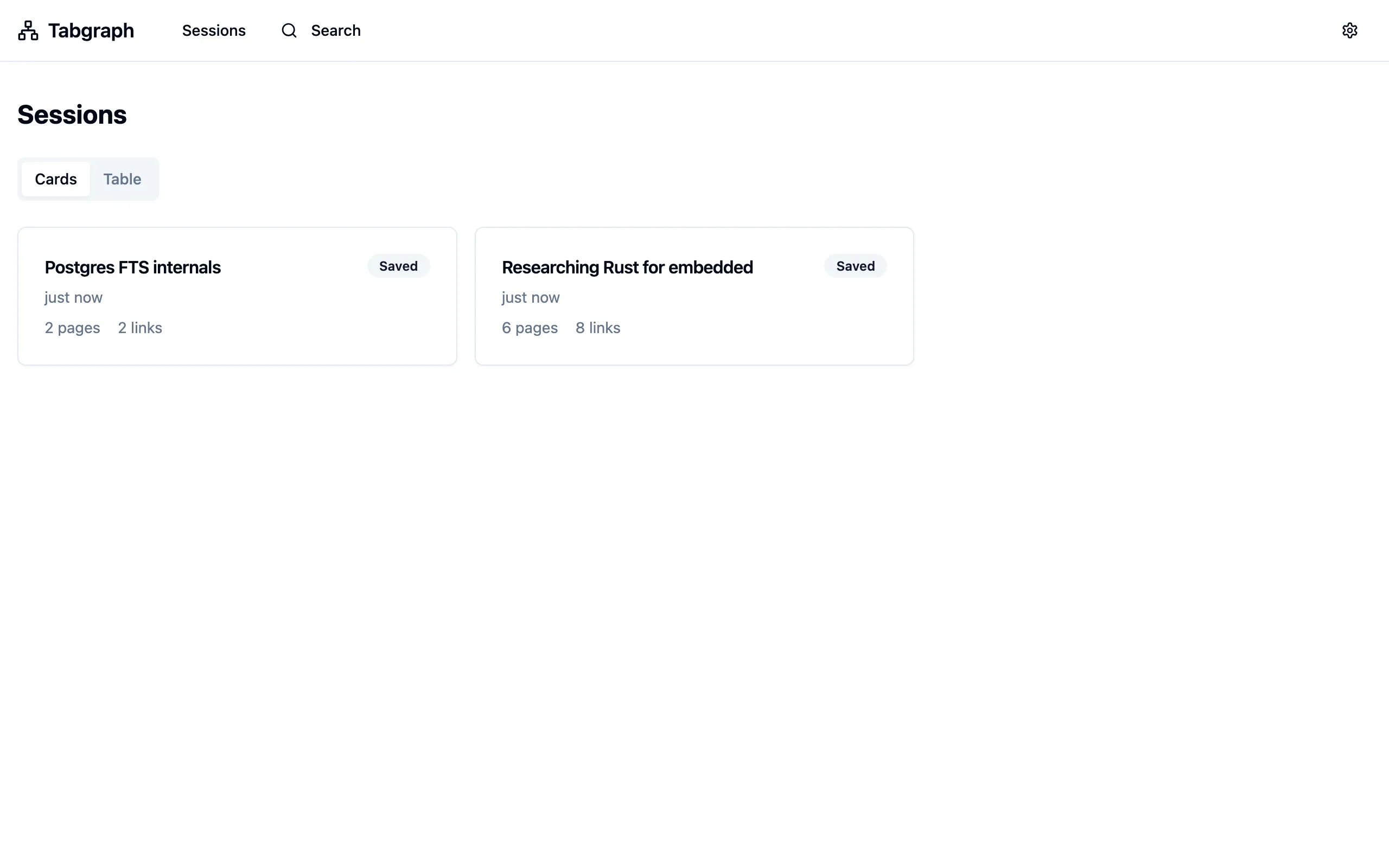
Save promotes a session past the 7-day free-tier retention. Search runs full-text over every session you own. Share generates a one-click anonymous link. Export drops a PNG of the graph.
No content scripts, no broad permissions
The extension runs entirely in the background. Captures happen via the browser's tab and navigation APIs alone — it doesn't request access to page contents.
What it looks like
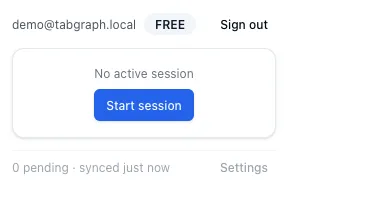
The sessions list and the popup.
How it works
Three steps, zero busywork.
- 01
Install and sign in
Tabgraph captures parent-child tab relationships automatically using the browser's native tab and navigation APIs — no "begin tracking" gesture, no per-page consent prompts.
- 02
Browse normally
Every "open in new tab", every in-tab navigation, every back-and-forth is captured locally first. Nothing reaches the backend until you sign in and enable sync — and the extension never reads page contents.
- 03
Save, search, share
Name and save a session to keep it past the 7-day free-tier window. Search full-text across every session you own, generate a one-click read-only share link, or export the graph as a PNG.
Install
Get the extension.
Neither store listing is live yet, so installing takes a couple of extra clicks — no waiting on a review queue. Pick your browser below.
- Download the zip above and unzip it.
- Open
chrome://extensionsin Chrome. - Enable Developer mode (top-right toggle).
- Click Load unpacked and select the unzipped folder.
- Download the zip above and unzip it.
- Open
about:debugging#/runtime/this-firefoxin Firefox. - Click Load Temporary Add-on… and select any file inside the unzipped folder (e.g.
manifest.json). - This is unsigned, so it's temporary: Firefox removes it on restart and you'll need to reload it from
about:debuggingeach session until it's AMO-signed.
Safari extensions ship inside a Mac app. Download the Tabgraph app below — it exists only to register the extension with Safari. The build isn't notarized yet, so macOS and Safari each need one extra confirmation, spelled out in the steps.
- Unzip the download and move Tabgraph.app to your Applications folder.
- Open it once. macOS will block the first launch (the build isn't notarized yet) — go to System Settings → Privacy & Security and clickOpen Anyway, then confirm. The app just registers the extension with Safari.
- In Safari: Settings → Advanced → enable "Show features for web developers", then Develop → Allow Unsigned Extensions (needed again each Safari launch).
- Settings → Extensions → enable Tabgraph and grant it site access.
Pricing
Free tier now. Pro tier soon.
Billing isn't live yet — the hosted service currently runs free for everyone while we finish the Pro tier.
Free
The full feature set, capped so we can keep the hosted service sustainable.
- 3 saved sessions per month
- 7-day rolling retention on unsaved sessions
- Full directed graph, search, share, and PNG export
- Self-host for no limits at all
Pro
Unlimited sessions and history for people who live in their browser history.
- Unlimited saved sessions
- Unlimited retention
- Everything in Free
- Priced to be an easy yes
Self-hosting
Same code, your infrastructure.
Tabgraph is licensed under the GNU AGPL-3.0 and built to run on your own infrastructure — one Postgres, one OIDC provider, docker compose up. The code that runs the hosted version is the same code, with no private fork or paywalled module. The source repository opens publicly soon; until then it's available on request.